
Pickup time, made simple.
Families check in with a quick scan, staff get a live view of arrivals and student readiness, and everyone stays on the same page during that busy end-of-day moment.
Access is limited to invited or approved families and staff.
JuneKc, password pre-k

How Wilshire Pickup Works
From arrival to completed pickup, here is what happens during a typical dismissal.
Family arrives
A family pulls into the Wilshire pickup line and joins the queue of cars.
Quick check-in
Family scans the QR sign posted at the pickup entrance, or a staff member scans the family's QR code from their phone. Either way, the check-in is instant.
Live queue builds
The student appears in the live dismissal queue instantly. Staff see the full sequence of 20, 30, even 50+ cars down the line and know exactly which child is next.
Staff see it live
Teachers, dismissal staff, and front office all share the same real-time view. No more walkie-talkie relays or guessing who has arrived.
Status updates
Each student moves through Arrived, Preparing, and Ready. Staff advance statuses with one tap, and everyone sees the update immediately.
Pickup complete
Student is released to the family. The session records the completed pickup with a timestamp for later review if needed.

What families experience
Families continue following Wilshire's normal pickup and release procedures. The technology works behind the scenes to give staff a clearer shared picture of arrivals and readiness.
Family access must be approved by the school office.
What staff see
One shared live view that keeps everyone coordinated during dismissal.
Live arrival sequence
See who arrived and in what order.
Student readiness
Staff share the same Arrived, Preparing and Ready status.
Wait visibility
Long waits and exceptions become easier to notice.
Mobile operation
Works across phones, tablets, Chromebooks and laptops.
Manual flexibility
Staff can still manually check in students or handle exceptions.
Scanner built in
Scan QR codes or check in manually from any device.
A quick scan is all it takes
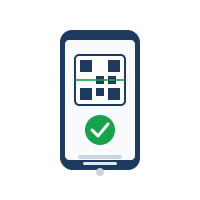
When families reach the Wilshire pickup line, they scan the QR sign posted at the entrance. This lets staff know they have arrived, without changing any of the school's existing pickup and release procedures.
Designed to stay out of the way
The system automates routine steps where that helps, but does not make automation a dependency.
Schools can use scheduled dismissal times or start manually. A QR remains active until staff choose to replace it. The goal is fewer required actions, not another workflow staff have to manage.
How QR codes work in practice
Two scanning modes. Same live queue. No app downloads for anyone.
Family scans the QR sign
A shared QR code sign is posted at the pickup line entrance. When a family reaches the front of the line, they scan it with their phone camera. No app needed, works in any browser.
The QR code contains only a rotating token, no student names or personal data. Staff can rotate or revoke the code at any time.
Staff scans family QR
Each family receives a personal QR pickup credential. A staff member with a phone or tablet scans the family\'s QR code as their car approaches. The student instantly appears in the queue.
This mode works well for younger grades where families may not scan themselves, or for staff who prefer to control the check-in process.
See 20, 30, even 50+ cars down the line
As each family checks in, the live queue shows the full sequence of arrivals. Staff can see that car 12 has the Smith family, car 15 has the Chen family, and car 23 is next. Teachers inside the building know which students to prepare and in what order.
No more guessing from walkie-talkie calls. The sequence is recorded as families arrive and stays visible throughout the dismissal session.
No detailed student records needed
The system works with just a student\'s first name and grade level. No photos, no medical records, no home addresses. Schools can add more detail if they choose, but the core workflow needs only the basics.
Three ways to host it
Wilshire chooses what works best. The system runs the same regardless of where it lives.
Hosted by me
I run it on isolated, tenant-scoped infrastructure I maintain. Zero cost to the school. Fastest to set up.
School servers
Deploy on Wilshire's own infrastructure. Full data sovereignty. I help with setup and configuration.
Local / on-prem
Run locally on a staff machine or school network. No external dependencies. Good for pilot testing.
Future enhancements
The beta covers the core dismissal workflow. These features are on the roadmap based on feedback from staff and families.
Geofence auto check-in
Families who opt in get automatically checked in when their phone enters the school pickup zone. No scanning needed.
Full customization
Adjust workflows per grade, release group, or teacher recommendation. Different pickup rules for kindergarten vs fifth grade.
Scheduled dismissals
Set recurring dismissal times per day of the week. Sessions auto-start and auto-close on schedule.
Push notifications
Families get a notification when their child is ready for pickup. Staff get alerts for exceptions or long waits.
Multi-lane support
Handle multiple pickup lanes or entrances. Each lane has its own queue view and check-in point.
Analytics & reporting
Average pickup times, peak congestion windows, and session summaries to help optimize dismissal over time.
This is a beta. Full customization available.
The current version covers the core dismissal workflow. Every school runs pickup differently, so the system is built to adapt. Workflows can be customized per release group, per grade level, or based on individual teacher recommendations.
Have a specific need? The system is designed to flex around Wilshire\'s actual process, not the other way around.
What improves beneath the surface
One shared source of truth
Staff work from the same live queue instead of separate mental lists.
Consistent sequencing
Arrival order is recorded centrally and remains available throughout the session.
Less repeated coordination
Staff can see changes directly instead of repeatedly asking who has arrived.
Operational history
Authorized staff can review completed pickups and status changes when needed.
Easier exception visibility
Long waits and unusual cases stand out instead of disappearing inside a busy line.
Flexibility without complexity
Use simple defaults and introduce groups, schedules or QR scopes only when useful.
Access stays scoped to the people who need it
Access requires an authenticated account and explicit authorization. Organization, school-site and operational permissions are enforced at both the application and database layers.
Architecture
Identity, organization membership, school access and operational permissions are separate layers. Each request is checked against the context it actually needs.
Built for Wilshire, with gratitude.
The idea came during Meet the Teacher night. Watching the pickup line swell with cars, seeing staff juggle walkie-talkies and mental lists of who had arrived, I realized there had to be a better way.
Wilshire is where my kid started their foundational years. This is my way of giving something back to the school community, a small tool to make one busy part of the day a little easier for the families and staff who make Wilshire what it is.
Independently built for the Wilshire community. Non-commercial, not for sale.
Ready to get started?
Staff and families can sign in below. Access is limited to approved users.